



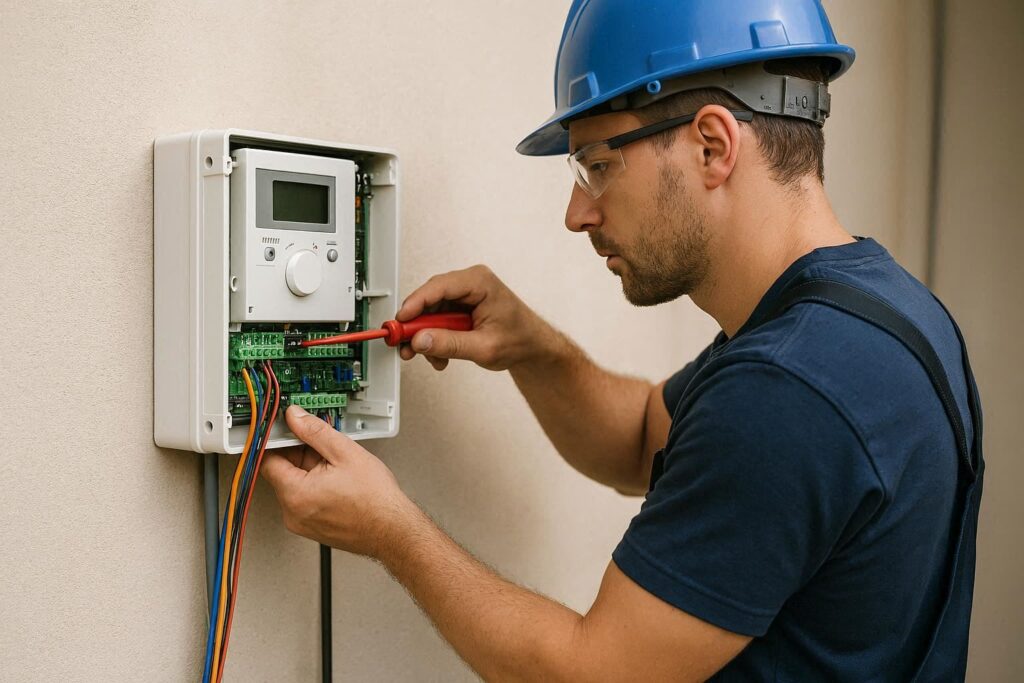
In the world of professional automation, the control unit (or control board) represents the actual “brain” of the system. For a VDS Automazioni installer, a deep understanding of the operating logic and, above all, the ability to quickly diagnose a fault is what distinguishes a standard intervention from a top-tier service.
In this technical article, we will analyze the most frequent issues affecting control units for swing gates, sliding gates, and barriers, providing practical solutions and advanced troubleshooting methodologies.
Preliminary Analysis: The “Back to Basics” Method
Before working on the electronics, every expert installer knows that the mechanics must be flawless. A control unit that frequently goes into error mode is often simply reacting to excessive mechanical stress.
- Friction Check: Release the motor and move the leaf manually. If the movement is not fluid, the problem is not the control unit, but rather the hinges or the rack.
- Mains Power Supply: Use a multimeter to verify that the input voltage (230V or 110V) is stable. Voltage fluctuations exceeding 10% can cause erratic microprocessor behavior.
Diagnosing Common Problems
The Gate Does Not Receive the Command (Radio or Wired)
If the control unit is powered but does not respond to commands, the fault is often located in the input or reception sector.
- Status LED Check: VDS control units are equipped with diagnostic LEDs. Verify that the LED related to the N.C. (Normally Closed) inputs—such as STOP or PHOTOCELLS—is lit. If it is off, the control unit “thinks” there is an obstacle or that an emergency button has been pressed.
- Radio Interference: If the wired command works but the remote control does not, check the frequency (433MHz or 868MHz). The presence of 4G/5G towers nearby or obsolete wireless devices can saturate the receiver.
- Solution: Try disconnecting the external antenna. If reception improves at a short distance, there is environmental background noise.
Photocells and Safety Device Errors
Over 60% of service calls concern photocells.
- Misalignment: Vibrations or pillar settling can misalign the transmitters (TX) from the receivers (RX).
- Voltage Drop: Measure the voltage at the photocell terminals. If it drops below 12V/24V while the motor is moving, the control unit’s transformer may be overloaded or nearing the end of its life.
- Oxidized Contacts: In humid environments, the contacts of the internal relays in the photocells can oxidize. An audible “click” does not always guarantee electrical continuity.
“Sluggish” Motor or Amperometric Protection Tripping
Modern VDS control units integrate force management via encoders or amperometric sensing.
- Starting Capacitors (230V Motors): If the motor hums but does not start, or requires a “push,” the capacitor is depleted. Always replace it with one of equal capacity ($\mu F$).
- Obstacle Sensitivity: If the control unit reverses direction for no apparent reason, check the sensitivity settings. As seasons change, mechanical grease can harden, increasing current draw and “tricking” the control unit.
Quick Troubleshooting Guide
|
Symptom |
Probable Cause |
Recommended Action |
|
Display is off |
Blown fuse or faulty transformer |
Check line and low-voltage fuses. |
|
Gate opens but won’t close |
Photocell blocked or faulty |
Check alignment and lens cleanliness. Use jumpers for testing. |
|
Flashing light stays on steady |
Shorted control board Triac |
Replace the board or the power module. |
|
Only one leaf moves (Swing Gate) |
Motor wiring or exchange relay issue |
Swap motor connections on the board to isolate the problem. |
|
Lost programming |
Backup battery or power surge |
Perform a new travel auto-learning procedure. |
Environmental Issues: Insects and Humidity
An aspect often underestimated by novices, but well known to VDS installers, is insect intrusion. Geckos, ants, and snails are naturally attracted to the heat generated by transformers.
- Ant Nests: They can create conductive bridges under the PCB (printed circuit board), causing inexplicable short circuits.
- Condensation: If the control unit box is not properly sealed or, conversely, lacks correct ventilation, condensation can corrode the copper traces.
- Pro Tip: Always use repellent sprays and ensure that cable glands are sealed with silicone or specific plugs after installation.
Advanced Configuration: Operating Logics
Many “apparent” problems are actually configuration errors regarding the logic (e.g., Condominium Logic vs. Step-by-Step Logic).
- Condominium Logic: Essential for preventing a user from accidentally closing the gate on another person by pressing their remote while someone is entering. In this mode, the “open” command always takes priority.
- Automatic Closing (TCA): If the gate remains open, verify that the TCA timer hasn’t been accidentally disabled or that the “Clock” input is not active.
Why Choose VDS Automazioni Electronics
VDS control units are engineered to be robust and intuitive. Unlike many competitors who use “closed” software, we offer installers maximum flexibility:
- Modularity: Many of our boards are universal and adaptable to various types of motorizations.
- Ease of Programming: Clear display menus and auto-learning procedures significantly reduce time spent on-site.
- Guaranteed Spare Parts: We know that time is money. VDS guarantees the availability of replacement boards even for older models, avoiding the need for a full system replacement.
Conclusions
Troubleshooting control units requires an analytical approach. It is not just about replacing a part, but understanding why that component failed. Whether it is a wiring issue, radio interference, or simple neglected mechanical maintenance, correct diagnostics is the key to customer loyalty.
As specialized installers, your expertise combined with the reliability of VDS Automazioni products creates an unbeatable partnership for safety and long-term durability.